Electronics & Appliance Repair
Electronics Repair Safety: Capacitors, Mains Voltage and Lithium Batteries
The three biggest hazards in electronics repair explained: charged capacitors, mains voltage and lithium-ion batteries, with safe discharge methods and what to do if a battery overheats.
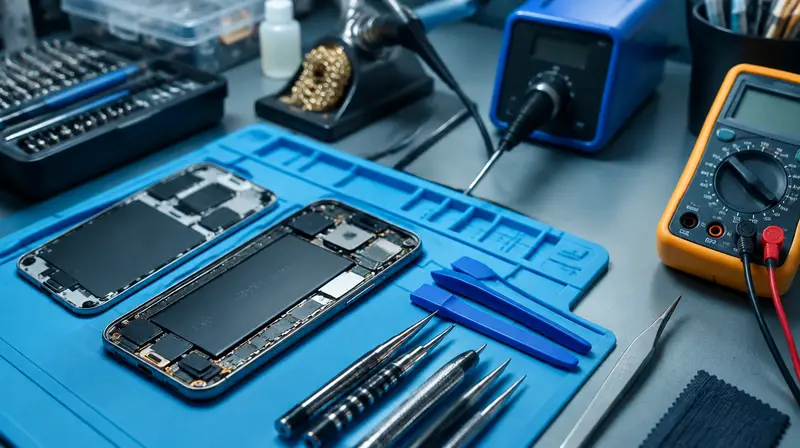
Most electronics repair is low-risk: small screws, low-voltage boards, careful work. But three hazards can cause serious injury: charged capacitors, mains voltage, and damaged lithium-ion batteries. Understanding them, and knowing when not to open a device, is the most important part of learning to repair electronics.
The three rules
- Capacitors: large capacitors can hold a dangerous charge after unplugging. Discharge and verify with a meter.
- Mains: unplug before opening. Never work on live mains circuits as a beginner.
- Lithium batteries: do not puncture, bend, short or overheat. Disconnect them first.
1. Capacitors
Capacitors store electrical energy. Small ones on logic boards hold negligible charge, but large electrolytic capacitors in power supplies, microwave oven capacitors, CRT TVs and monitors, camera flash units, inverters and motor-run capacitors in appliances can hold enough energy to cause a painful or even lethal shock, sometimes for a long time after unplugging.
Devices to avoid as a beginner
- Microwave ovens: the high-voltage capacitor and transformer are lethal. Leave repairs to professionals.
- CRT televisions and monitors: tens of thousands of volts on the tube.
- Switch-mode power supply primaries (the "hot" side of PSUs), camera flashes, laser printers' high-voltage sections.
How to discharge a capacitor safely
- Unplug the device and wait several minutes; many power supplies have bleeder resistors, but do not rely on them.
- Wear safety glasses. Use one hand where possible, keeping the other away from the chassis.
- Measure the voltage across the capacitor with a multimeter on DC V.
- If voltage is present, discharge through a suitable resistor (for example a few kΩ, rated several watts) connected with insulated leads, or a dedicated capacitor discharge tool. Do not short terminals with a screwdriver; the spark can damage the capacitor, board and your eyes.
- Measure again to confirm near 0 V.
2. Mains voltage
- Always unplug the device, not just switch it off.
- Never bypass fuses, thermal cut-outs or interlocks.
- After repair, reconnect the earth/ground wire to metal chassis parts before testing.
- If you must test a device powered and open, that is professional territory: use an isolation transformer, RCD/GFCI, and proper training.
- For wiring in walls, see electrical safety.
3. Lithium-ion and lithium-polymer batteries
Phones, laptops, tablets, e-bikes, vapes, power tools and cordless vacuums all use lithium batteries. Damaged or shorted cells can go into thermal runaway: rapid heating, venting of toxic, flammable gases, and fire that is hard to extinguish.
Safe handling
- Disconnect the battery before working on a device's board.
- Never puncture, bend, crush or pry against a pouch cell. Use heat and adhesive removers (isopropyl alcohol) to release adhesive strips.
- Do not short terminals with metal tools. Cover exposed terminals with Kapton tape.
- Replace swollen batteries immediately; do not charge them or press them back into the device.
- Discharge phone batteries to below about 25% before a battery replacement to reduce the energy available if something goes wrong.
- Use reputable replacement batteries with protection circuits.
If a battery overheats, smokes or catches fire
- Move away from the smoke; do not inhale it.
- If it is safe, move the device onto a non-flammable surface (concrete, sand, a metal tray) using tongs or pliers, or take it outside.
- For small devices, large amounts of water can cool the cells and prevent spread; a fire extinguisher suited to the surrounding materials can control nearby fire. Keep a fire blanket or a bucket of sand in the workshop.
- Call emergency services if the fire spreads or you are unsure.
- Keep the battery isolated for a day afterwards; cells can re-ignite.
Disposal
Never put lithium batteries in household trash; they cause fires in bin lorries and recycling plants. Tape the terminals and take them to a battery recycling point.
Frequently asked questions
How long do capacitors hold charge?
It varies from seconds to days depending on the circuit. Always measure before touching.
Is a swollen phone battery dangerous?
Yes. Stop using and charging the device, keep it away from flammable items, and have the battery replaced promptly.
This guide is general information, not professional advice. Always read your tool's manual, use the right protective equipment and follow local building and electrical codes. See our disclaimer.