Projects & How-To
How to Replace a Phone Battery Safely
A general step-by-step guide to replacing a smartphone battery: tools, safety precautions, opening the phone, removing adhesive strips, installing the new battery and calibrating.
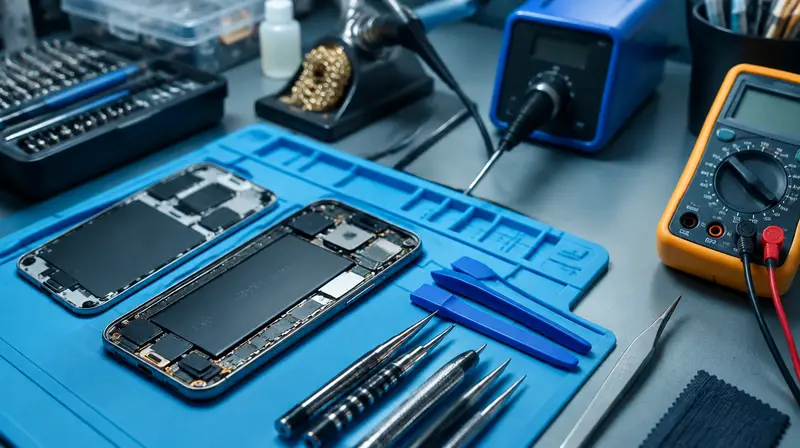
A worn battery is the most common reason a phone feels "old": it dies by mid-afternoon, shuts down in the cold or slows down under load. Replacing the battery is a very achievable repair on many phones with the right tools and patience. The biggest risk is puncturing the old lithium battery, so work slowly and follow a model-specific guide alongside this general one.
- Discharge the phone to below 25% before starting to reduce stored energy.
- Never puncture, bend or pry hard against the battery. Use heat and isopropyl alcohol to release adhesive.
- If the battery swells, smokes or smells, stop and move it to a non-flammable surface outside. See lithium battery safety.
- Opening the phone may affect water resistance and warranty. Some newer phones may show a message about non-genuine parts.
Tools and materials
- Replacement battery from a reputable supplier (with new adhesive strips)
- Precision screwdrivers for your model (e.g. Pentalobe, Tri-point, Phillips)
- Opening tools: suction handle, picks, plastic spudger, tweezers
- Heat source: heat pad or hair dryer
- Isopropyl alcohol 90%+ and a syringe or dropper
- Replacement screen or back-cover adhesive
- Magnetic mat or screw organiser, ESD wrist strap
- Safety glasses
Step 1: Research your model
Phones differ a lot. Some open from the screen side (the display lifts like a book), others from the glass back. Find a detailed guide or video for your exact model, and note where flex cables are and which screws go where.
Step 2: Open the phone
- Power off the phone and remove the SIM tray.
- Remove any external screws.
- Heat the edge (warm to the touch) to soften adhesive.
- Apply a suction handle near the edge and gently lift to create a small gap. Insert an opening pick.
- Slide the pick around the edges, avoiding areas with cables (per your model guide), and use extra picks to prevent re-sticking.
- Open the phone in the correct direction, supporting the display or back so cables are not stretched.
Step 3: Disconnect the battery
- Remove the bracket screws covering the battery connector (organise screws by position).
- Pry the battery connector straight up with a plastic spudger.
- Disconnect the display cables if you need to separate the display fully.
Step 4: Remove the old battery
- Pull-tab adhesive strips: pull slowly at a low angle, keeping the strip flat. If a strip breaks, use the alcohol method.
- Alcohol method: apply a few drops of isopropyl alcohol under the edge of the battery, wait a minute, then lift gently with a plastic card. Never use metal tools to pry.
- Newer designs: some phones use electrically released adhesive or an easier removal method; follow your model's guide.
Step 5: Install the new battery
- Remove old adhesive residue and let alcohol evaporate completely.
- Apply new battery adhesive as supplied, place the battery and press gently.
- Connect the battery connector (press straight down until it clicks), then reconnect display cables.
- Temporarily power on the phone to test display, touch and charging before sealing.
- Power off, disconnect the battery again, fit new perimeter adhesive, reconnect, and close the phone. Refit screws.
Step 6: After the repair
- Charge to 100% and use normally. The battery health indicator may take some cycles to settle, and some models may show a notice about non-genuine or unverified parts.
- Recycle the old battery at a battery collection point, with the terminals taped.
Frequently asked questions
Is it safe to replace a phone battery myself?
For careful beginners with the right tools and a model-specific guide, yes. The main risk is puncturing the old battery, which can cause a fire.
Will my phone still be waterproof?
Not reliably. New adhesive restores some protection, but factory water resistance cannot be guaranteed after opening.
This guide is general information, not professional advice. Always read your tool's manual, use the right protective equipment and follow local building and electrical codes. See our disclaimer.